When every demo looks good, a checklist gives the team something firmer than gut feel. These questions help you spot the need that could quietly block adoption after you buy.
For the bigger picture, start with the business software buying roadmap.
THE SHORT ANSWER
Evaluate before you commit
Use pass/fail checks for must-haves, then score the rest with evidence. Keep unsure answers in view instead of giving an unproven feature full marks.
- Set the must-haves before any demo, so a shiny feature does not quietly replace the problem you need to solve.
- Give every shortlisted product the same sample task, and note the evidence behind each score or open question.
- Compare seats, usage, setup, integrations, training and exit work, not just the headline price.
- Use a weighted score to guide the discussion. Check failed must-haves and missing evidence separately before you choose.
- 01GateMust-have tasks + access
- 02CompareUsability + cost + evidence
- 03PrepareRollout + ownership + exit
Rule of thumbUnknown is a question to resolve, not an automatic pass.
- 1Questions 1–5Define the job and the usersWho does the work, and what must change
- 2Questions 6–10Test everyday useSame sample task for every product
- 3Questions 11–15Check data, access and connectionsExports, roles, integrations
- 4Questions 16–20Calculate the complete costSetup, renewal, add-ons and exit
- 5Questions 21–25Decide how you will operate and leaveOwner, support, contract, data exit
How we researched this guide
Evidence: A research-based guide with labelled examples. We read the official docs and primary sources on 18 November 2026. Prices show what they cover and when we checked them. Examples explain the method. They are not customer results or product tests. Read our evidence standards.
What should a software evaluation checklist measure?
The checklist should measure whether a product fits a defined job. Start with the people who will use it and the process they need to complete. A marketing team organising client reports may need different information from an operations team managing internal requests, even if both are looking at the same platform.
Keep must-haves apart from nice-to-haves. A must-have can rule out a purchase. A nice-to-have helps you choose between products that already meet the basics. Never let a high total hide a failure on something you truly cannot give up.
The business software buyer’s guide explains the wider process. Use the Software & SaaS hub to find related planning resources. Not every article there is a hands-on product review.
Questions 1–5: define the job and the users
- What specific task must this product improve, and what is difficult about the current process?
- Who will use it every day, and who needs only occasional or read-only access?
- Which requirements are essential, and which are preferences or future possibilities?
- What sample task can every shortlisted product complete, for a fair comparison?
- Who owns the decision, the implementation, and the ongoing administration?
Write your answers before the first demo. Otherwise the shortlist turns into a contest of memorable features instead of a check against the real need. Keep the needs in view during each demo, and note a question when the presenter does not show what you need.
Use a small sample with no sensitive data that looks like normal work. For a project tool, that could be a task, an owner, a due date, a dependency and a report. If your real process has an important exception, include it too. A perfect example alone will not show how the product copes with missing details.
Questions 6–10: test everyday use
- Can a normal user finish the sample task without a specialist setting up every step?
- How much setup is needed before the first useful result appears?
- Does the product make errors, missing information, and unfinished work visible?
- Can the people who need it use the screens, reports and mobile app comfortably?
- What training, documentation, and support will the team need to repeat the task?
Ask the intended users to try the workflow where trial access permits it. Note the points where they stop, ask for help, or misunderstand a status. Usability is not only a visual preference. It affects whether information is entered consistently and whether someone can tell what needs attention.
Keep the test conditions the same. If one product runs on a fully set-up account and another starts empty, note that difference. Setup work may be worth it, but it must not vanish from the comparison.
Questions 11–15: check data, access, and connections
- What data will the product hold, and is that use right for your organisation?
- Can you give and remove access based on each person’s role?
- Do the exact integrations you need exist on the plan you intend to buy?
- What happens when a connection fails, or an import has missing or duplicate data?
- Can you export the data you need in a usable format before you commit?
Check the exact integration, not a logo in a gallery. Note which data moves, which way, how often and under whose account. Ask where errors show up and whether fixing them needs another paid service.
Bring the right person in for access and data handling. A product’s marketing page is not a check of the terms that apply to your data. If a service handles sensitive data or key operations, involve security, legal or procurement in the decision.
Questions 16–20: calculate the complete cost
- What billing period, commitment, currency and tax apply to the quoted price?
- How many paid seats are required, including administrators and occasional users?
- Which usage limits, add-ons, integrations, or support charges could change the cost?
- What will setup, migration, training, and process changes cost in money and staff time?
- What renewal, price-change, cancellation, and refund terms need confirming before purchase?
Record the date and source of a quote. Monthly and annual plans should not be compared without identifying the commitment. An annual equivalent may be useful for analysis, but it is not necessarily the amount charged each month.
Read the software total cost guide for a fuller breakdown. Keep estimated staff effort separate from a supplier’s cash invoice so the team can see which assumptions drive the comparison.
| Cost component | What to record | Evidence |
|---|---|---|
| Subscription | Seats, rate, period, and included usage | Dated quote or official plan page |
| Implementation | Setup, migration, and required integrations | Scoped supplier or internal estimate |
| Ongoing effort | Administration, training, and support | Named owner and working assumption |
| Exit | Export, replacement, and transition work | Tested export and relevant terms |
Questions 21–25: decide how you will operate and leave
- Who can recover access if the main administrator leaves the business?
- What support route and service expectations apply to your actual plan?
- How will the team review whether the product still improves the work after adoption?
- In practice, how do you export your data and move to another service?
- Which open question or failed must-have needs an answer before approval?
Planning your exit is part of buying. Trying an export during the trial shows whether it holds what you would need to move. An export button alone does not prove links, attachments, history or key fields come with it.
Name an ongoing owner. Someone has to look after seats, access, renewals, documentation and process changes. A tool with no owner can keep piling up subscriptions and dependencies long after its first job has changed.
How to use the scoring sheet
The downloadable workbook uses the 25 questions as a shared review structure. Enter a priority weight and a score only when you have evidence. Record the reason, the test or source, and any remaining question. Blank scores mean the evaluation is incomplete; they should not be treated as proof of a poor product.
A simple scale can be 0 for not met, 1 for partly met, and 2 for met. Choose weights that reflect your own needs before evaluating products. The workbook calculates weighted points and a percentage of the maximum available points. It also shows how many questions have been scored.
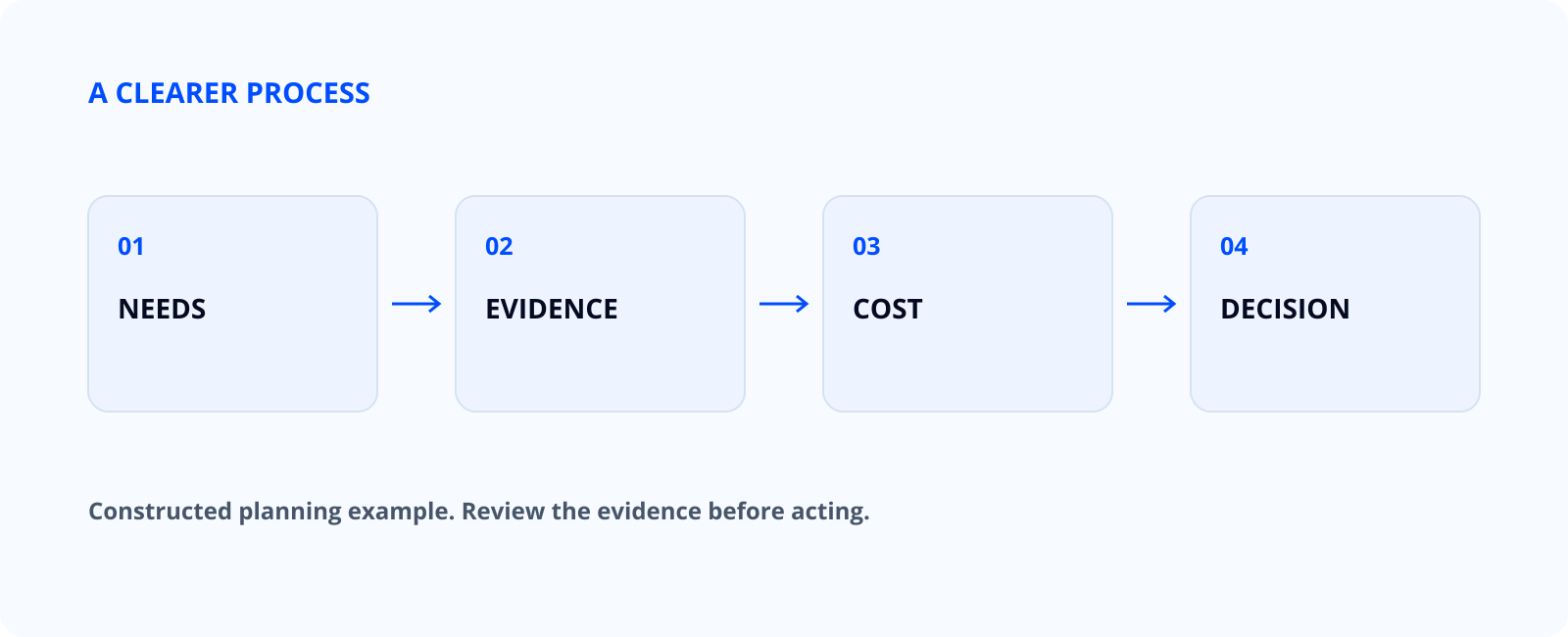
Do not treat a weighted score as an order to buy. Review must-haves, missing information, setup effort and how good the evidence is. Two products with similar totals can have very different strengths and limits.
A constructed total-cost example
Suppose a fictional product costs ₹800 per paid seat per month, requires 8 seats, and has a one-time setup cost of ₹12,000. Its first-year subscription would be ₹800 × 8 × 12 = ₹76,800. Adding setup gives ₹88,800 before tax, add-ons, training, or exit work.
The ₹800 per seat and ₹12,000 setup figures are made up for illustration. The subtotal is ₹88,800 before tax and before any open work. They are not a real vendor price or a recommendation. They show where the sum starts and stops. If another product includes setup but charges more per seat, the team can compare the same first-year scope instead of headline prices.
| Illustrative item | Calculation | Amount in ₹ (illustrative) |
|---|---|---|
| Annual seats | ₹800 × 8 × 12 | ₹76,800 |
| One-time setup | Fixed example assumption | ₹12,000 |
| First-year subtotal | ₹76,800 + ₹12,000 | ₹88,800 |
Add separate lines for assumptions you have not checked. Never quietly count an unknown migration or integration cost as zero. Mark it as open and name who will find out.
Common evaluation mistakes
Changing the needs after each demo makes the comparison unfair. A new finding may justify changing the brief, but update it for every product on the list and note why. Otherwise each product is judged against a different job.
Another mistake is accepting a feature claim without seeing it work. A reporting feature may exist but not give the export your team needs. Ask to see the exact task, the plan it needs and how to repeat it.
Teams also mix up adoption with value. Creating accounts does not improve the process. After the trial, ask whether users can finish the task, whether the data can be trusted, and whether admin and review effort is worth the benefit.
Prepare a decision that another person can review
Sum up the first problem, the must-haves, the sample task, the evidence, the full cost and the open questions. Say who recommends the purchase and who can approve it. Make the reason for rejecting an option as clear as the reason for picking one.
If you are still unsure, narrow the trial or get the missing evidence. Waiting can be the right call when a must-have has not been shown. Do not fake precision just to make a scorecard look finished.
For a tool intended to support an AI process, define the workflow first using the AI workflow guide. For a website project, the business website planning guide helps identify the wider work a plugin or platform must support.
Download the evaluation checklist
Download the software evaluation workbook. Use a fresh copy for each product, or add the same evidence to your own buying process. Review the scoring method before you use it with a team.
Choose one current buying decision and answer the first 5 questions together. That produces a clearer test than starting with a broad market list. Only shortlist products after the team can describe the job, the users, and the essential requirements.
Use a small evidence ledger instead of memory
Bring one complete task to the trial or demonstration and keep the same starting material for each product. Record who performed it, the edition, the date, the result and the evidence location. If the vendor performs the task, label the record as a demonstration; if your team performs it, record the conditions of that observation.
| Checklist answer | What belongs beside it | What remains unresolved |
|---|---|---|
| Documented | Official feature page and edition | Whether it fits the exact workflow |
| Demonstrated | Date, scenario and observed output | What the intended user can repeat |
| Tried by the team | Setup, participant and accepted result | Whether the small sample generalises |
| Promised | Written scope and responsible contact | Availability, cost or delivery condition |
| Unknown | Specific unanswered question | Owner and deadline for an answer |
Do not treat a roadmap promise as a feature you can use today. Keep “a connector exists” apart from “our records sync correctly”. They are different claims and need different proof.
Tools to consider
Research shortlist, not tested reviews. These are tools to look into, not endorsements or a ranking. We checked prices and plan limits on the linked official pages on 16 November 2026. Recheck the current quote, taxes, renewal terms and availability before you buy.
Use the checklist on products that meet the same business need. The examples below cover two CRM options and a separate accounting need.
| Tool | What it is for here | Who it may suit | Starting price and conditions |
|---|---|---|---|
| Zoho CRM | Trial contact import, follow-up assignment and data export against your requirements. | An agency evaluating a manageable CRM entry point. | Free for up to 3 users. Standard: ₹800/user/month billed annually, or ₹1,300/user/month billed monthly, plus applicable tax. Official pricing / plan details Price checked on 16 November 2026. |
| Freshsales | Inspect a pipeline, record ownership and the limits of the required plan. | A sales team comparing CRM access, communication and reporting needs. | Free for up to 3 users. Growth: US$9/user/month billed annually. The retrieved pricing page displays USD; obtain an INR quote before budgeting. Official pricing / plan details Price checked on 16 November 2026. |
| TallyPrime Silver | Evaluate invoice, inventory and accounting tasks with synthetic business records. | An Indian SMB checking a single-PC accounting setup with its accountant. | ₹750/month + 18% GST for the one-month single-PC rental. Cloud access and other services may cost extra. Official pricing / plan details Price checked on 16 November 2026. |
Do not copy a price or a feature tick into a final score without its plan and conditions. Record unresolved costs, actual trial observations and who approved the decision.
A filled CRM comparison starts with a real requirement
Suppose a small agency needs a shared contact list, a visible deal stage and an export it can use later. This is a constructed requirements example. Zoho CRM, Freshsales and HubSpot are real candidates, but no product trial or customer outcome is claimed here.
| Requirement | What to ask each vendor | How to score it |
|---|---|---|
| Shared pipeline | Show the exact plan, users and permissions needed for our stages. | 0 if unavailable; 1 if it needs a workaround; 2 if the required plan supports it. |
| Contact import | Show how our sample columns map and how duplicates are handled. | Leave unscored until the sample import is reviewed. |
| Email connection | Name the required mailbox permissions and plan dependencies. | An integration logo alone is not enough evidence. |
| Export | Show the format, fields, attachments and limits. | Mark an essential failure if required records cannot be recovered. |
| Cost | Quote all required seats, add-ons, implementation and renewal. | Use the TCO sheet after the feature scope is matched. |
Begin with Zoho CRM’s plan matrix, Freshsales pricing and HubSpot Sales pricing. Prices and plan boundaries change. Keep the checked date next to the exact edition rather than assigning a score from memory.
Continue with the related guides
- How to choose business software: a practical buyer’s guide
- Software total cost: look beyond the subscription price
- How to build your first AI workflow for a small team
- CRM for Small Business: Zoho CRM, HubSpot and Freshsales
- Accounting Software in India: Zoho Books, TallyPrime and BUSY
Questions about software evaluation
Should every question have the same weight?
Only if that matches your needs. Set priorities before you look at products, and keep must-haves apart from the total score.
Can I compare free and paid tools?
Yes, if you identify the actual plan, limits, setup, and support involved. A free entry plan may not cover the workflow you need.
What if a vendor will not provide a trial?
Request a demonstration of the same sample task and record the limits of your evidence. Do not present an untested claim as a verified result.
Does a high score mean I should buy?
No. The score only adds up what you entered. Review missing evidence, failed must-haves, full cost and ownership before you decide.
How often should I review the decision?
Review it when the task, team, price, or product changes, and before a significant renewal. Set an owner rather than relying on a universal interval.
How should a checklist handle an unanswered essential requirement?
Leave it open and give someone the job of finding evidence. Do not give it a neutral score just to fill the sheet. If it is a must-have, wait for an answer before approving, or change the need on record with the person responsible. A high score elsewhere does not fill the gap.
What should happen after the software is approved?
Turn the evaluation into a rollout record: name the admin, users, data migration, training, support route and recovery duties. Keep the pass checks so the team can compare what was set up with what was bought. Revisit key assumptions at renewal or when the process changes. The checklist stays useful after purchase, because the running needs do not end when the contract is signed.
Sources and further reading
- GOV.UK: managing technical lock-in in the cloud.
- NCSC: choosing a cloud provider.
- GOV.UK: define your purchasing strategy.
- Zoho CRM: official plan and pricing information (checked 16 November 2026).
- Freshsales: official plan and pricing information (checked 16 November 2026).
- TallyPrime Silver: official plan and pricing information (checked 16 November 2026).
- Freshsales: edition comparison and Free plan limits.
- Zoho CRM: INR annual and monthly edition pricing.
What changed on 14 Nov 2026: expanded the starter checklist into 25 evaluation questions, an evidence-based scoring method, an illustrative cost example, and an editable workbook.
Last updated: 21 November 2026. Individual prices retain their stated check dates.